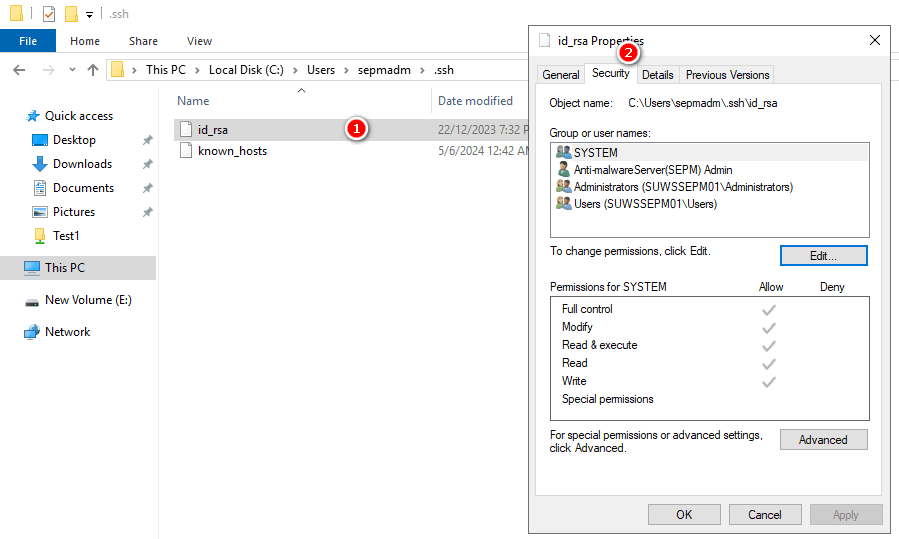
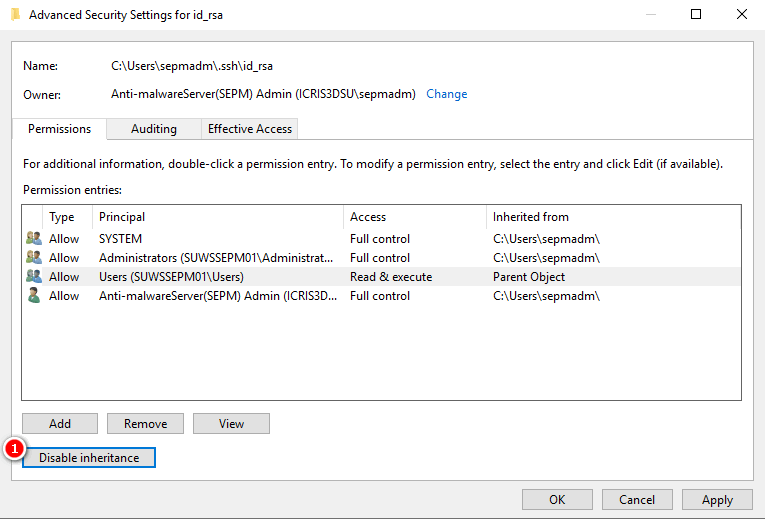
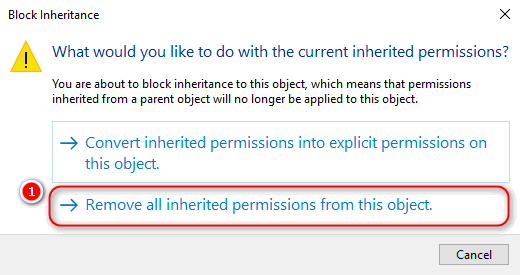
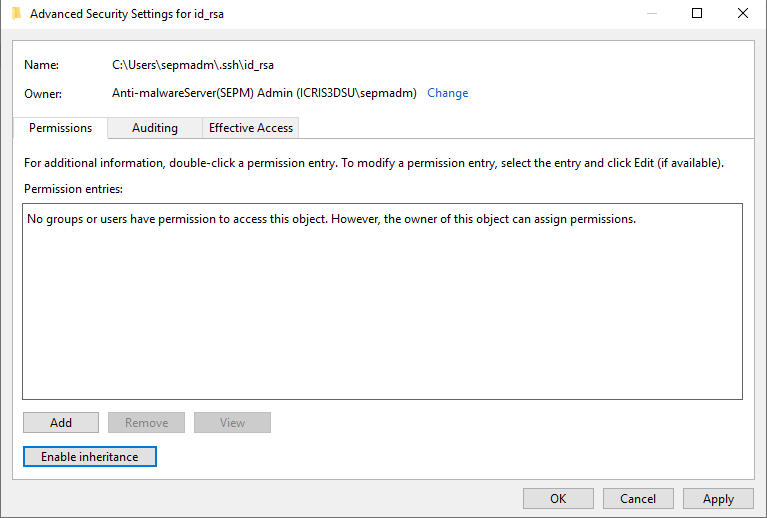
Permissions for ‘id_rsa’ are too open.
1 | C:\Users\sepmadm\.ssh>ssh -i id_rsa root@192.168.233.162 |
Fix
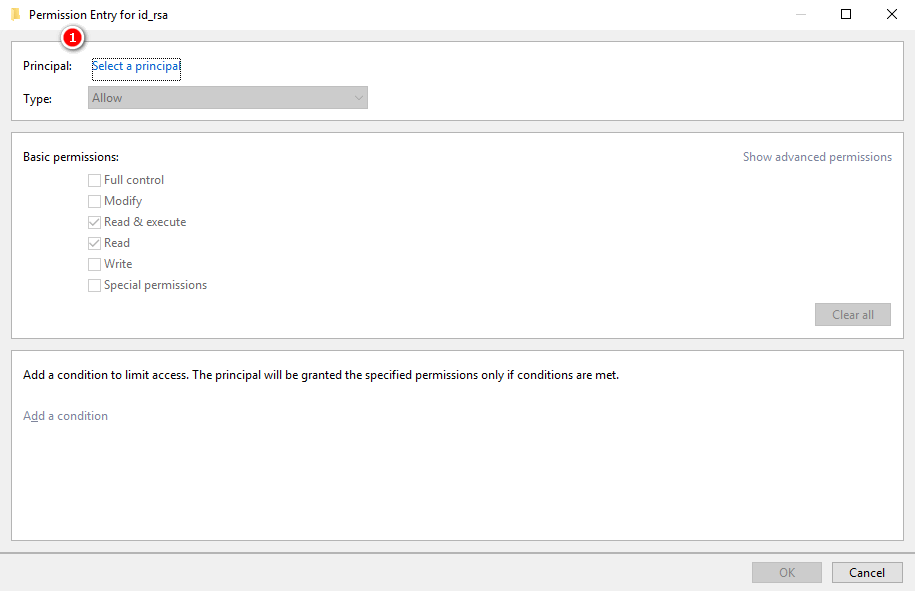
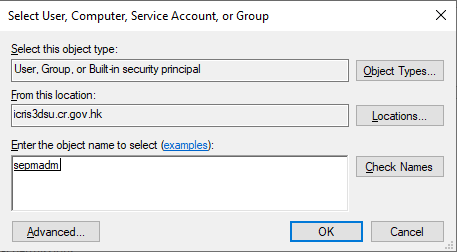
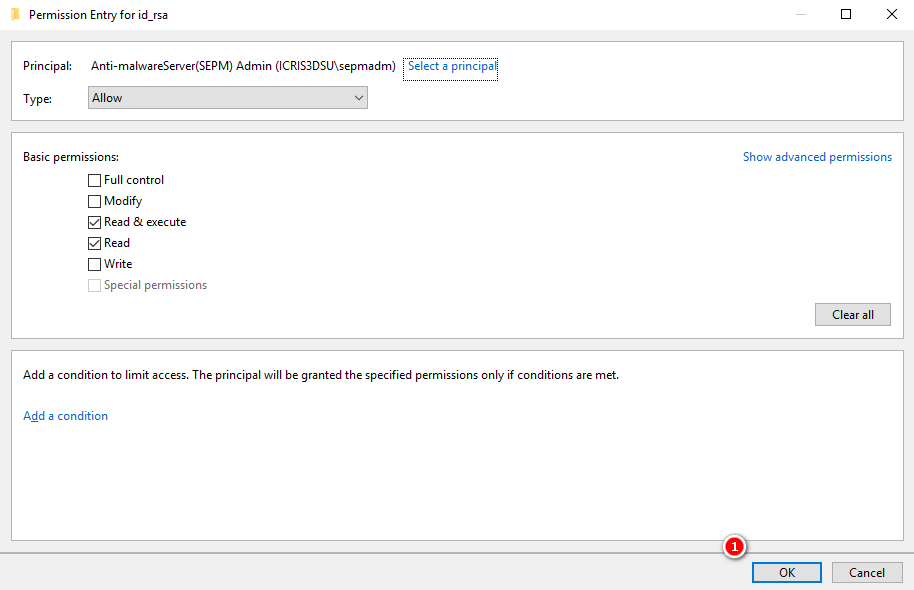
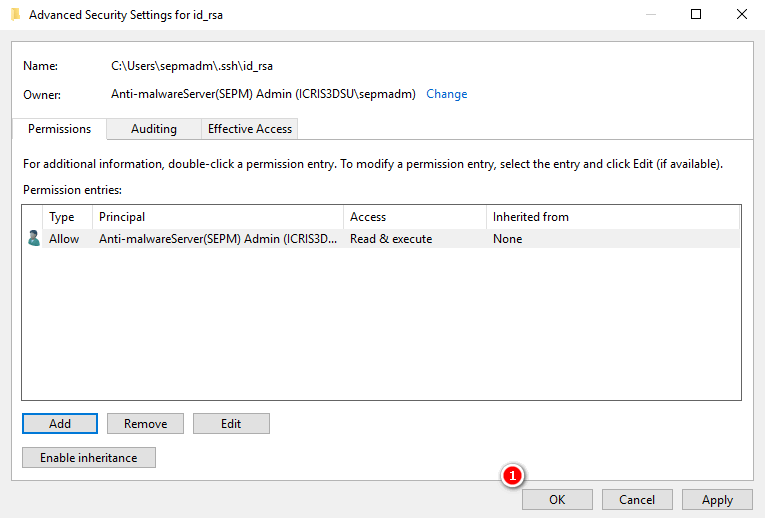
1 | C:\Users\sepmadm\.ssh>ssh -i id_rsa root@192.168.233.162 |
1 | yum install -y --downloadonly epel-release.noarch |
1 | unison -version |
1 | unison /tmp/src/ /tmp/dst/ |
1 | unison -repeat 10 -prefer newer /tmp/src/ /tmp/dst/ |
AIX sshd got core dump
1 | root@suuxinap01:/root# errpt -a |
Modify sshd_config
1 | root@suuxinap01:/etc/ssh# vi sshd_config |
Restart sshd
1 | root@suuxinap01:/etc/ssh# stopsrc -s sshd; startsrc -s sshd |
1 | show chassis hardware |
1 | show version |
1 | show virtual-chassis |
1 | show chassis fpc |
1 | show chassis temperature-thresholds |
1 | show chassis power-budget-statistics |
1 | show chassis environment |
DLPAR - Dynamic Logical Partition
1 | padmin@spuxvios1a:/home/padmin $ lsdev -type tape|grep SAS |
1 | hscroot@spapvhmc01:~> lshwres -r io --rsubtype slot -m spuxspr01 -Flpar_name,drc_index,drc_name,description | grep "SAS RAID Controller, PCIe3 x8, Quad-port 6Gb" |
1 | BACKUP_LOG=backupios.$(date +%Y%m%d-%H%M).txt |
1 | cd ~ |
1 | chmod +x start_hexo.sh |
1 | crontab -u hexoadm -e |
Linux find command common ussgae.
1 | $ find . -type f -newermt 2024-03-25 ! -newermt 2024-03-26 -ls |
1 | $ find . -iname \*tcp* |
1 | $ find . -iname \*t21* -exec rm {} \; |
1 | $ find / -iname \*iso -exec ls -l {} \; |
If there are too many unsuccessful login attempts in AIX or in other operating systems may lead to account locked. If this happened in your AIX operating system, you need to reset and unlock the user account.
1 | $ su - userprd |
1 | # chsec -f /etc/security/lastlog -a "unsuccessful_login_count=0" -s userprd |
1 | # chuser "account_locked=false" userprd |
Welcome to Hexo! This is your very first post. Check documentation for more info. If you get any problems when using Hexo, you can find the answer in troubleshooting or you can ask me on GitHub.
1 | $ hexo new "My New Post" |
More info: Writing
1 | $ hexo server |
More info: Server
1 | $ hexo generate |
More info: Generating
1 | $ hexo deploy |
More info: Deployment